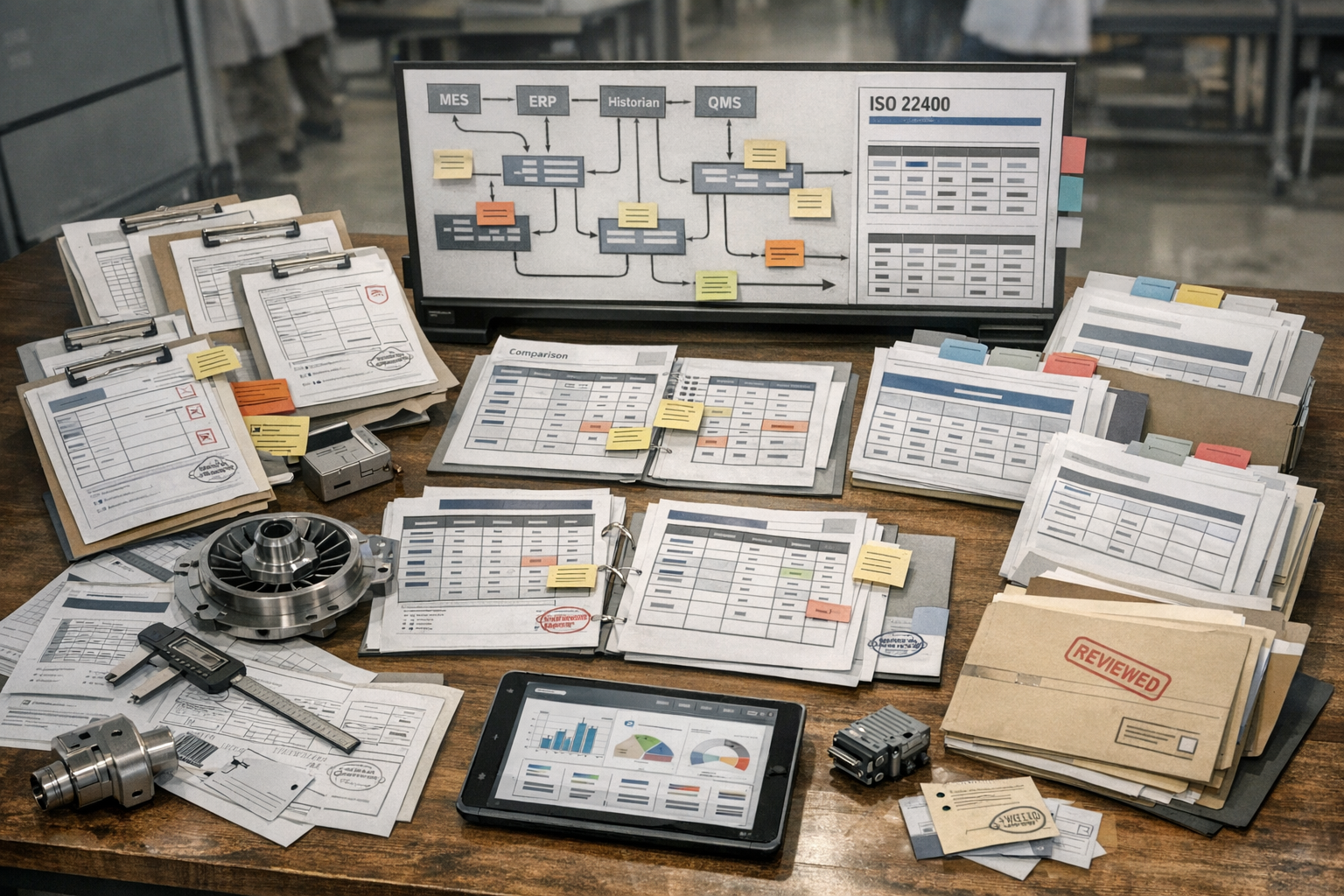
ISO 22400 can improve dashboard design by giving manufacturing teams a consistent way to name, group, and describe performance indicators. In aerospace manufacturing, that consistency matters because operators, manufacturing engineers, quality teams, and plant management often look at the same production system from very different decision horizons. A well-designed ISO 22400 KPI definitions used in dashboards approach helps each role see the right metrics without changing what those metrics mean.
This article is for aerospace operations, quality, and compliance teams who need to understand Designing Dashboards with ISO 22400 KPIs: Examples and Patterns. It explains the practical question this topic answers in a manufacturing execution context.
This is especially useful in regulated environments where production visibility, traceability, and comparability across lines or sites must be defensible. ISO 22400 does not prescribe dashboard layouts, color schemes, or chart types. What it does provide is a reference model for KPI meaning, time behavior, units, and user context. That makes it a strong foundation for tool-agnostic dashboard design in MES, BI, historian, and operations reporting systems.
For teams putting this topic into daily operation, ISO 22400 KPI governance help connect the concept to traceability, work-order reality, and audit-ready evidence.
For teams putting this topic into daily operation, a connected execution platform, Connect981’s aerospace execution solutions, real aerospace execution examples help connect the concept to traceability, work-order reality, and audit-ready evidence.
The same operating model also depends on Connect981’s aerospace operations guidance, practical aerospace operations FAQs, ISO 22400 KPI governance, especially when decisions have to move across quality, production, suppliers, and program leadership without losing context.
The examples below are illustrative design patterns, not requirements of the standard. The goal is to show how aerospace manufacturers can build clearer dashboards for operators, engineers, and managers while keeping KPI labels and interpretations aligned.
Why Standardized KPI Definitions Matter for Dashboards
Reducing confusion over similar-looking metrics
Many dashboard problems start with metrics that appear similar but are defined differently across systems. One screen may show uptime, another availability, and a third utilization, even though users assume they mean the same thing. In practice, those values may rely on different state models, time exclusions, or quantity assumptions.
Using ISO 22400 as a reference reduces that ambiguity. If a dashboard presents a KPI with a standard-aligned name, description, and unit, the user has a better chance of understanding what is included, what is excluded, and how to compare it with another view.
Making cross-plant dashboards reliable and comparable
Aerospace manufacturers often need to compare performance across cells, programs, suppliers, or sites. Those comparisons are only useful when the KPI definitions are stable. A plant-level dashboard that aggregates work center data from multiple facilities can become misleading if each facility classifies states or labels losses differently.
Standardized definitions create a shared reporting baseline. That is particularly important for enterprise manufacturing teams trying to understand whether variation reflects actual operational differences or only reporting inconsistencies.
Using ISO 22400 as a reference for labels and descriptions
Even when an organization uses custom calculations or aerospace-specific supplemental metrics, ISO 22400 can still guide the descriptive layer of the dashboard. KPI names, tooltips, metadata panels, and data dictionaries can reference standardized concepts so users know whether a metric is equipment-oriented, order-oriented, time-based, or quantity-based.
This improves handoffs between operations, industrial engineering, and compliance teams. It also supports cleaner integration between MES, ERP, QMS, and site reporting tools.
Design Principles for ISO 22400-Aligned Dashboards
Clear naming and tooltips with standardized definitions
The first principle is simple: every KPI tile, chart, or table should use explicit naming. Avoid abbreviations unless the user group is already trained on them. Where possible, include a hover tooltip or details panel that explains the KPI definition, unit of measure, aggregation level, and reporting period.
For example, a dashboard should not just show a value labeled performance. It should indicate whether that is an equipment-oriented KPI, what time basis it uses, and whether it applies to a work unit, production line, or plant summary. In regulated aerospace environments, this level of clarity also helps when metrics are reviewed during audits, quality investigations, or supplier performance discussions.
Consistent units, ranges, and trend directions
Users should not have to guess whether higher is better, whether a metric is expressed as a percentage or absolute duration, or whether a chart compares hours, parts, or orders. ISO 22400 concepts support more disciplined KPI presentation by encouraging consistent attributes around units and trend interpretation.
In practice, this means dashboards should standardize how percentages are displayed, how durations are rounded, and how red-yellow-green logic is applied. If one KPI improves when it rises and another improves when it falls, the trend indicators should make that explicit rather than relying on user memory.
Clarify the operational risk
When the work behind Designing Dashboards with ISO 22400 affects quality, delivery, or compliance, teams need one place to connect evidence, decisions, and shop-floor follow-through.
Separating real-time views from aggregated performance views
One common design mistake is mixing live operational status with shift, weekly, or monthly performance in the same visual block. Real-time equipment states answer immediate execution questions. Aggregated KPIs answer performance review questions. They should support one another, but they should not be confused.
A useful pattern is to separate dashboards into at least two layers: a live operating view and a summarized performance view. The live layer can show current state, alerts, and active disruptions. The summary layer can show trends, comparisons, and loss structures over a completed period. This keeps decision-making aligned with the actual time horizon.
Dashboards for Operators and Shift Supervisors
Focusing on equipment states and immediate KPIs
Operator-facing dashboards should emphasize what requires action now. In an aerospace machining, assembly, or test environment, this usually means current equipment state, order status, queue condition, and short-horizon KPIs tied to immediate execution. The user should be able to identify whether a station is running, idle, stopped, or producing below expected pace without opening a second report.
A practical layout is a top row of state tiles by work unit, followed by a small set of shift KPIs such as good quantity, stop duration, schedule adherence, or quality exceptions. The screen should privilege speed of interpretation over analytical depth.
Visual cues for downtime, speed loss, and quality issues
Supervisors benefit from cues that distinguish different loss types instead of combining them into one generic exception state. A downtime banner can separate planned from unplanned events. A speed-loss indicator can show when a process is running but below expected output. A quality panel can flag held units, inspection failures, or rework events requiring immediate coordination with quality personnel.
These cues are especially valuable in aerospace production, where nonconformance response and material segregation may be just as important as throughput. The dashboard should help the team see where flow is disrupted without oversimplifying the operational context.
Using state-based indicators aligned with ISO 22400
ISO 22400 concepts are helpful here because operator dashboards often depend on state classifications more than on high-level rolled-up metrics. If the dashboard consistently maps RUN, STOP, IDLE, or similar state categories into defined time structures, users can trust that the shift summary is based on the same logic as the real-time display.
An example pattern is a left-side live state panel, a center shift timeline of state transitions, and a right-side exception list tied to open orders or quality events. This works well in control rooms, supervisor stations, and digital production boards.
Dashboards for Engineers and Continuous Improvement Teams
Deeper breakdowns of time and quantity categories
Engineering and continuous improvement users need more than live status. They need to understand how KPI values were formed. That means dashboards for these roles should support breakdown analysis across time categories, quantity categories, equipment groups, and product families.
A good engineering dashboard typically starts with a summary KPI layer, then offers drill-downs into the time model behind those KPIs. For example, a team reviewing a composite layup area or precision assembly line may want to trace reduced performance to waiting time, setup patterns, recurring micro-stops, or inspection bottlenecks.
Correlations among related ISO 22400 KPIs
ISO 22400 KPIs should not be treated as isolated numbers. Many are related through common time and quantity structures, so dashboard design should make those relationships visible. If one KPI deteriorates, users should be able to see adjacent indicators that explain whether the issue is state-related, quality-related, or order-related.
A useful pattern is a dashboard that pairs trend charts with decomposition views. For example, a weekly equipment effectiveness trend can sit above a stacked time-loss chart and a quality yield panel. This allows engineers to evaluate whether changes are driven by downtime concentration, reduced operating performance, or rising defect activity.
Identifying patterns across lines and work centers
For multi-line or multi-cell aerospace operations, engineering teams often need comparison views. Heat maps, ranked tables, and small-multiple trend charts are effective when the underlying KPI definitions are consistent. The point is not just to identify the worst area, but to determine whether a recurring pattern exists across similar work centers, programs, or shifts.
Where traceability is important, dashboards can also connect summarized KPI deviations to contextual data such as part family, route step, tooling set, or supplier lot category. That does not change the ISO 22400 KPI itself, but it gives engineers operational context for investigation.
Dashboards for Plant and Enterprise Management
Aggregated ISO 22400 KPIs across areas and sites
Management dashboards should summarize performance at the level required for planning, review, and escalation. Plant leaders rarely need second-by-second state detail, but they do need confidence that aggregated values are comparable across areas. This is where ISO 22400-aligned definitions are particularly useful.
Connect decisions to execution
Connect981 helps turn this kind of operational detail into traceable action, so the context behind each decision does not get lost.
Discuss the workflow for Designing Dashboards with ISO 22400
A plant dashboard may organize KPIs by area, value stream, or program, with weekly and monthly trend windows. An enterprise dashboard may compare sites while preserving the same KPI meaning across all sources. This supports more defensible reviews and reduces arguments over local naming conventions.
Benchmarking plants and suppliers on common definitions
In aerospace supply chains, internal plants and external suppliers may report similar production outcomes using different tools. Benchmarking becomes more reliable when dashboards reference common KPI semantics. If supplier review packs and internal site scorecards use aligned definitions, management can compare performance without extensive manual translation.
This does not mean every supplier dashboard must look the same. It means the underlying KPI descriptions, aggregation rules, and units should be harmonized enough to support fair interpretation.
Blending standardized KPIs with financial indicators
Management dashboards often combine operational KPIs with business indicators such as cost of nonconformance, labor efficiency, schedule risk, or inventory exposure. That is appropriate, as long as the dashboard makes a clear distinction between ISO 22400-aligned manufacturing KPIs and organization-specific financial measures.
A simple design rule is to visually separate standardized operational metrics from financial or strategic overlays. This preserves clarity and prevents users from assuming that every number on the page is governed by the same standard reference.
Implementation Tips Across BI and Operations Tools
Using a platform like Connect981 as a single KPI source
Many manufacturers struggle because KPI logic is duplicated across MES screens, spreadsheet reports, data warehouse models, and executive dashboards. A better pattern is to maintain a governed KPI layer in a platform like Connect981, then expose the same definitions into different tools depending on user need.
That approach helps aerospace manufacturers maintain consistency across production visibility boards, engineering analysis tools, and management scorecards. It also improves traceability when a KPI definition changes or a data source is reclassified.
Maintaining definition consistency across tools
Consistency requires more than a common metric name. Teams should maintain metadata for each KPI including description, unit, aggregation logic, object of measurement, and intended user group. Tooltips, data catalogs, and dashboard footnotes should all draw from that same governed source.
If a BI tool uses one label while the MES uses another, users will create their own interpretations. That is exactly the drift ISO 22400 can help avoid when applied as a reference model.
Periodic reviews to prevent KPI drift and clutter
Dashboards should be reviewed on a regular cadence. Over time, organizations add metrics, duplicate existing indicators, or keep outdated views alive after process changes. The result is clutter, inconsistent definitions, and declining user trust.
A periodic review should check whether each KPI still has a clear owner, whether the definition remains aligned with the current production model, and whether each user group still needs the metric on its main screen. For aerospace and defense manufacturing, these reviews are also a good point to verify that KPI displays still match current process controls, quality workflows, and reporting obligations.
When dashboard design follows role-based decision needs and references ISO 22400 for KPI meaning, the result is not a generic report library. It is a structured operating view that helps people at different levels see the same manufacturing system with less ambiguity and better context.
Frequently asked questions
Use labeling that makes the link to ISO 22400 explicit and traceable, while still readable for operators and managers. In regulated, brownfield environments, the priority is clarity, consistency, and unambiguous mapping to the standard and to your validated configuration.
Use a consistent naming pattern
Pick a standard pattern and apply it on every dashboard, report, and export. Common workable options are:
- “ISO 22400 KPI <number>: <standard name>”
Example: “ISO 22400 KPI 1: Availability” - “ISO 22400-2 K<2-digit code> – <standard name>”
Example: “ISO 22400-2 K01 – Availability” - For OEE-related metrics:
“ISO 22400 K01 – Availability (OEE component)”
“ISO 22400 K02 – Performance (OEE component)”
“ISO 22400 K03 – Quality rate (OEE component)”
The key is that the label clearly states the standard and KPI code so it can be traced back to your requirements, configuration, and validation documentation.
Show definitions, units, and time basis
Labels alone are not enough in regulated environments. Make the KPI definition transparent at the point of use:
- Include units directly in the label or sublabel, for example: “ISO 22400 K01 – Availability [%]” or “ISO 22400 K09 – Production time [min]”.
- Indicate time basis where it affects interpretation, for example: “… (shift)”, “… (last 24h)”, “… (rolling 30 days)”.
- Expose the formula via a hover tooltip, info icon, or drill-down page. The visible label should match a controlled definition in a specification or data dictionary.
This makes it easier for engineers, quality, and auditors to validate that what the screen shows matches the approved definition.
Handle site-specific variants explicitly
Many plants cannot implement ISO 22400 definitions 1:1 because of legacy data models, partial integrations, or local business rules. If you must deviate:
- Use a variant label, for example: “ISO 22400 K01 – Availability (site variant)”.
- Document the difference in a controlled specification (for example, data dictionary, MES configuration spec, or dashboard design doc) and reference that in validation records.
- Avoid ambiguous renaming. Do not call a non-standard metric simply “OEE” or “Availability” without indicating it is a modified definition.
In mixed-vendor MES/SCADA/ERP stacks, different systems may compute similar KPIs differently. Make the system of origin or method visible where conflicts are likely, for example: “ISO 22400 K01 – Availability (MES)” vs “… (SCADA)”.
Align labels with your MES/ERP and procedures
To avoid confusion in brownfield environments:
- Align terminology across dashboards, MES screens, batch records, and SOPs. If MES uses “Equipment availability”, your dashboard label might be “ISO 22400 K01 – Equipment availability” to bridge both.
- Use a governed data dictionary or master KPI catalog that lists: ISO 22400 code, standard name, local display label, units, calculation method, and system(s) providing the data.
- Control changes via your existing change control process. A label change that alters the meaning, formula, or data source should be reviewed and, where applicable, revalidated.
Full replacement of existing KPI naming across legacy systems is often risky and resource-intensive due to the need to update SOPs, training, qualification evidence, and audit trails. In many plants, a pragmatic overlay approach is used: add ISO 22400 codes to labels and documentation while existing local terms remain visible.
Make drill-down and traceability available
Dashboards in regulated operations should let a knowledgeable user trace what a KPI number represents:
- Provide a details view where users can see the ISO 22400 code, full name, formula, aggregation rules, and exclusions (for example, which downtime categories are included).
- Link to controlled documents such as KPI specifications or functional requirements, instead of embedding long definitions directly on the chart.
- Ensure consistency across views. A label used on a line-level dashboard should match the label used in corporate performance summaries for the same KPI definition.
Practical labeling examples
Here are examples of clear labels that balance ISO fidelity and operator readability:
- “ISO 22400-2 K01 – Availability [% per shift]”
- “ISO 22400-2 K03 – Quality rate [% – site variant A]”
- “ISO 22400 K02 – Performance (OEE component) [%]”
- “ISO 22400 K09 – Production time [min, MES]”
- “ISO 22400 K13 – Scrap rate [% – includes rework]” (with the inclusion of rework defined in your KPI spec)
These patterns give enough information for experts to interpret and challenge the numbers, while remaining short enough for dashboards.
Implementation dependencies and caveats
Clear ISO 22400 labeling depends on:
- Configuration quality: You must know exactly how each KPI is computed in each system. If formulas differ or data is incomplete, labeling alone will not align behavior.
- Integration maturity: Incomplete equipment connectivity or partial downtime classification may force you to define and label KPIs as intermediate or provisional metrics.
- Validation state: In GxP or aerospace-grade contexts, any change to KPI calculations or their interpretation should be assessed for impact on validated processes and evidence packages.
Labeling ISO 22400 KPIs clearly is less about picking the “right” wording and more about ensuring that every label can be unambiguously traced to a controlled, standardized, and validated definition within your actual system landscape.
No. ISO 22400 does not prescribe specific dashboard layouts, chart types, colors, or interaction patterns for KPI visualization.
What ISO 22400 actually covers
ISO 22400 defines a common language and structure for manufacturing performance indicators, especially for areas like OEE, availability, performance, and quality. In particular it focuses on:
In practice, this connects to ISO 22400 KPI governance when teams need to turn the answer into repeatable execution habits.
- Definitions of KPIs and related terms.
- Logical data relationships and aggregation levels.
- Calculation methods and input data requirements.
- Use cases for comparing performance across machines, lines, or plants.
The standard is primarily about what to measure and how to calculate or categorize it, not how it must be rendered on screen.
What remains your responsibility
Because ISO 22400 does not fix the presentation layer, each organization must make design and validation decisions around:
- Visualization patterns: gauges vs time-series charts vs tables; use of thresholds and color coding; drill-down behavior.
- Audience and hierarchy: what is appropriate at machine/line dashboards vs supervisor vs plant leadership views.
- Update cadence and latency: how frequently KPIs refresh and how lag is communicated, especially when source data comes from mixed MES/ERP/PLC layers.
- Context and traceability: how an operator or auditor can trace a displayed KPI back to its underlying data set, time window, and calculation method.
- Alarm and escalation logic: when KPIs trigger alerts, and whether these are advisory vs integrated into formal workflows.
In regulated environments, these design decisions typically require documented requirements, change control, and, where applicable, validation or qualification. ISO 22400 does not remove that burden and does not guarantee that any specific visualization is appropriate for your process, safety profile, or regulatory regime.
Coexistence with existing MES/ERP and dashboards
In brownfield environments, you are unlikely to replace all existing dashboards simply to align with ISO 22400. More common approaches include:
- Harmonizing definitions: mapping existing KPIs to ISO 22400 concepts and calculations, then updating labels and documentation while leaving most of the visual layout intact.
- Incremental redesign: standardizing visual patterns for a subset of KPIs (for example, OEE and downtime) in an existing MES or BI tool, then phasing in similar patterns elsewhere as systems are upgraded.
- Integration constraints: accepting non-uniform visualization across legacy systems while using ISO 22400 as the canonical definition in data models, data warehouses, and documentation.
Full replacement of established dashboards solely for visual standardization often fails in aerospace- or pharma-grade contexts due to validation cost, risk of misinterpretation during transition, limited downtime for deployment, and the complexity of requalifying user training and work instructions. ISO 22400 can guide KPI semantics without forcing a wholesale UI replacement.
Practical use of ISO 22400 for dashboards
In practice, organizations tend to use ISO 22400 to:
- Standardize KPI names, formulas, and time bases across plants and vendors.
- Align data models feeding MES, historians, and BI dashboards.
- Document assumptions so that different dashboards can be compared reliably even if they look different.
The visual design itself is then driven by safety, usability, site conventions, and tool limitations, and must be validated within each plant’s quality system where required.
Making ISO 22400 KPI calculations auditable is less about the standard itself and more about how you define, implement, and govern the KPI logic in your systems. In regulated, brownfield plants, auditable KPIs require unambiguous definitions, reliable data capture, controlled calculation logic, and reproducible results backed by evidence.
1. Start with precise, written KPI definitions
ISO 22400 describes concepts and reference calculations, but each plant still makes choices. To be auditable, you should maintain a KPI definition sheet for each KPI that includes at least:
In practice, this connects to ISO 22400 KPI governance when teams need to turn the answer into repeatable execution habits.
- Name and identifier (e.g., ISO22400_OEE_V1, ISO22400_Availability_V2).
- Scope: line, machine group, shift, product family, plant; plus time horizon (shift, day, week).
- Exact formula, including units and references to the specific ISO 22400 clause or figure where applicable.
- Time base definitions: what counts as planned time, operating time, planned/unplanned downtime, and which status codes map to each bucket.
- Included and excluded events: e.g., warmup, maintenance, testing, changeovers, engineering trials, rework.
- Data fields used: system, table, tag, or signal names (from MES, historian, PLC, ERP, QMS, etc.).
- Aggregation rules: how you roll up across shifts, machines, or orders (e.g., weighted by planned time or output quantity).
- Known limitations and assumptions: for example, how you handle missing machine states, partial cycles, or backfilled production counts.
Auditors will challenge anything that is ambiguous or inconsistently applied across lines or plants. Written definitions are the baseline for repeatability.
2. Make data lineage from KPI to raw signals traceable
To be auditable, anyone should be able to start from a reported KPI value and trace back to:
- The underlying time series of machine states and production counts.
- The work orders, part numbers, and shift calendars involved.
- The exact calculation logic and version that produced the result.
Practical steps:
- Retain time-stamped raw data from MES, SCADA/PLC, historian, and ERP at a resolution that supports reconstruction of events (for many KPIs, 1-second to 1-minute resolution is typical).
- Maintain a data dictionary that maps source tags and fields (e.g., PLC bits, MES state codes, ERP order status) to KPI categories such as operating time, minor stop, changeover, scrap, or rework.
- Record data transformations (e.g., state code reclassification, time bucket merging, filtering of obvious noise or outliers) with versioned logic.
- Keep referential links between production events, work orders, batches, and KPIs (e.g., a KPI instance references specific order IDs and date ranges).
If your KPI platform cannot show how a value was derived from raw data, auditors will treat it as a dashboard number rather than as reliable evidence.
3. Put calculation logic under change control
Many plants implement ISO 22400 KPIs in multiple places: historian scripts, MES reports, BI tools, or custom SQL. This is a common source of non-auditable discrepancies.
To keep calculations auditable:
- Centralize KPI logic as much as possible in a single, validated layer (e.g., MES or an analytics engine) and treat that as the system of record.
- Apply formal change control to KPI definitions and logic: documented change requests, impact assessment, testing, approvals, and effective dates.
- Version all calculation code and configurations (SQL, ETL flows, scripts, BI measures) in a repository where you can reconstruct the exact logic used on any historical date.
- Document deviations from ISO 22400: if you implement a plant-specific variant of OEE or availability, label and document it as such rather than calling it “ISO 22400” without qualification.
In regulated environments, ad hoc dashboard logic without version control is a major audit risk, even if the formulas are mathematically correct.
4. Validate the full calculation pipeline
In aerospace, pharma, and other regulated sectors, KPI numbers are often used to support capacity decisions, improvement programs, and sometimes compliance evidence. That makes the calculation pipeline itself subject to validation expectations.
Consider a basic validation approach:
- Define intended use: for example, “shift-level ISO 22400 availability and OEE for internal performance management, not used directly for product release decisions.”
- Perform installation and operational checks: confirm data flows from each source (MES, historian, ERP) are complete, time-synchronized, and secure.
- Develop test cases: use controlled historical periods where states and counts are known (e.g., a planned training day with a known stop pattern) and verify that your pipeline reproduces the expected KPI values.
- Document limitations: for example, “Cycle counts on Line 3 prior to date X are underreported during minor stops due to PLC configuration; KPI values before that date are not fully comparable.”
If your organization is subject to formal CSV or software validation expectations, your KPI tooling and data integration stack may fall in scope. Work with quality and IT to set appropriate validation depth.
5. Ensure consistent handling of time, shifts, and calendars
ISO 22400 KPIs such as availability, utilization, and OEE depend heavily on how you define planned time and schedule exceptions. These details are common audit failure points.
- Use controlled calendars for shifts, holidays, and site-specific events, ideally managed in a master system (MES, HR, or scheduling tool) and propagated downstream.
- Define standard rules for how you treat early starts, overtime, partial shifts, and overlap between shifts.
- Classify schedule exceptions explicitly: e.g., planned maintenance, trials, and engineering work that should be removed from planned production time.
- Synchronize time zones and clocks across OT and IT systems so that event sequences remain reconstructable.
Auditable KPIs require that two analysts using the same rules and data can independently reproduce the same results for a given period.
6. Design reports for drill-down and reproducibility
Auditability also depends on practical usability. Reports and dashboards should support tracing a number back to its components.
- Make drill-down supported: from monthly OEE to daily, shift-level, machine-level, and event-level views.
- Show KPI components: for example, for OEE, separately display availability, performance, and quality, with their numerators and denominators.
- Display applied filters and versions: time range, scope, excluded events, and KPI definition version.
- Allow export of underlying event data for sampled periods to support manual recalculation and evidence reviews.
If an auditor cannot inspect how a KPI changed when they adjust time filters or drill down into a particular machine or order, they will question its reliability.
7. Manage coexistence with legacy MES, historians, and BI tools
Most plants already calculate some form of OEE or ISO 22400-like KPIs in multiple systems. Full replacement is rarely realistic due to validation burden and downtime risk. Instead:
- Pick one system as the KPI system of record for ISO 22400-aligned metrics, then document that all official numbers come from there.
- Map and reconcile existing metrics in legacy tools to the new definitions; document differences (e.g., “Old_OEE includes planned maintenance as downtime; ISO22400_OEE excludes it.”).
- Phase out non-comparable KPIs or clearly label them as legacy indicators to avoid mixing them with ISO 22400 KPIs in formal reports.
- Implement interface tests to ensure data extracted from MES/ERP/historian into the KPI engine matches the source (record counts, sums, sample spot-checks).
Auditability suffers when multiple conflicting KPI values exist for the same period without a clear explanation. Reconciliation and labeling are essential during transition.
8. Capture governance, ownership, and training
Even with robust technical controls, ISO 22400 KPI calculations will not be auditable unless people understand and follow the rules.
- Assign ownership for each KPI (typically operations or industrial engineering) with clear responsibilities for definition, review, and continuous improvement.
- Set a review cadence where KPI definitions, data quality, and observed anomalies are periodically checked and updated under change control.
- Train key users (engineers, supervisors, analysts) on the definitions, typical pitfalls (e.g., double-counting, misclassified downtime), and how to respond to audit questions.
- Maintain an evidence pack for each key KPI: definition documents, sample calculations, validation records, and recent change logs.
9. What auditors will typically look for
While specific expectations vary by regulator and customer, auditors reviewing ISO 22400-style KPIs used in decision-making commonly test:
- Can you explain the formula and link it to ISO 22400 where applicable?
- Can you trace a reported value back to raw data, with consistent time stamps and event records?
- Is the calculation logic controlled and versioned, with documented changes and approvals?
- Are there documented data quality controls and known limitations?
- Can two people independently recalculate and match a sample KPI period using the same data and rules?
If you can provide clear answers and evidence for these points, your ISO 22400 KPI calculations will generally be considered auditable, even in complex, mixed-vendor environments.