
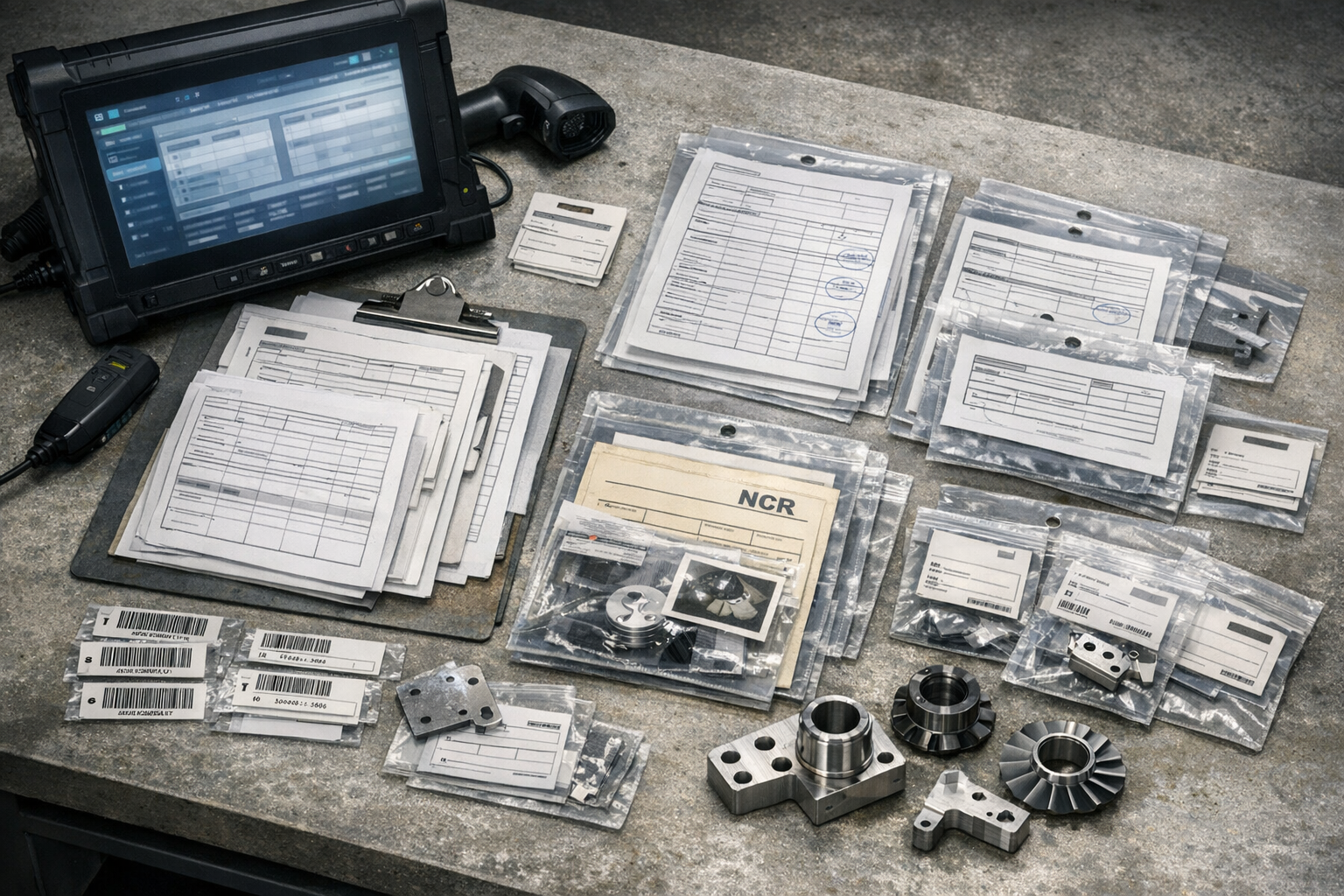
Work orders in aerospace manufacturing live at the seam between planning and execution: the ERP (enterprise resource planning) system releases the order, but the shop floor and suppliers determine what actually happens. When ERP, MES (manufacturing execution system), quality tools, and spreadsheets tell different stories, you do not just lose visibility—you lose traceability, and you start rebuilding audit evidence after the fact.
The fix is rarely “replace the ERP.” In regulated plants, ERP is the contractual and financial system of record. The practical problem is boundary control: which system owns work-order state at each stage, which events must cross that boundary, and what minimum record set must be retained so an auditor can reconstruct intent, execution, and disposition.
This playbook shows a disciplined way to integrate work orders across ERP and execution (MES/MOM) using ISA-95 / IEC 62264 thinking, with an evidence model aligned to AS9100-style expectations for documented information and traceability.
When you need this playbook
- Status looks on track in ERP but work is blocked on the floor (inspection disposition, MRB, missing material/tooling, missing certs).
- Execution proof is fragmented across paper travelers, spreadsheets, and point tools that do not share identifiers or revision context.
- Quality events are “after the fact”—nonconformances and holds exist, but they do not reliably stop downstream execution.
- Closeout requires manual reconciliation to assemble a ship-ready package (inspections, dispositions, certs, and revision-correct records).
Key Takeaways
- Keep ERP stable for order release, part masters, and financial commitments; treat execution as a separate system-of-action layer.
- Use ISA-95 / IEC 62264 boundaries to decide what belongs in Level 4 (enterprise) vs Level 3 (manufacturing operations).
- Integrate milestones, not micro-events: ERP needs planning-relevant states; the execution layer owns detailed steps, checks, and signatures.
- Make quality change execution by linking holds and dispositions to the exact operation, routing, and revision context.
- Define a minimum evidence pack per work order so audits are reviewable, not reconstructive.
Scope and system boundary: ERP vs MES/MOM
ISA-95 (also published as IEC 62264) separates enterprise planning from manufacturing operations management and describes the interface between Level 4 (enterprise) and Level 3 (manufacturing operations). Treat that interface as a contract: only information that changes enterprise decisions should flow back to ERP.
- ERP owns order release/close, part masters, top-level routing references, commitments, costing, and shipment/billing triggers.
- Execution (MES/MOM) owns dispatch, operator guidance, confirmations, in-process inspections, quality events, and revision enforcement.
- Both must share stable identifiers and revision context (WO, operation IDs, routing revision, instruction revision, lot/serial anchors).
A common anti-pattern is trying to make ERP “know everything” that happens during execution. You create noisy integrations and still cannot answer the only questions that matter: what is blocked, what revision was built, and what evidence proves ship readiness.
Evidence model: the minimum work-order record set that survives an audit
“Complete” must mean routing complete + inspections complete + dispositions resolved + required documents present. The evidence model below is intentionally minimal: it is the smallest record set that lets you answer an auditor in one sitting.
Identifiers and revision context:
- Work order ID, part number, quantity, and program/sales reference (when applicable).
- Routing ID + routing revision; operation IDs; planned work center/cell.
- Work instruction/document ID + instruction revision (the version actually presented at the station).
- Traceability anchors: issued material lot/batch IDs and produced serial numbers with parent/child links.
Execution and quality records:
- Operation confirmations (start/complete) with operator ID and timestamp (or equivalent approval evidence).
- Inspection results tied to operation ID and revision context (including re-inspection after rework).
- Nonconformance record ID, disposition, and approval evidence; hold applied/released with reason and owner.
- Ship-ready documents tracked as requirements (e.g., test report, CofC/CoC, special process certs where applicable).
Minimum “audit navigation” expectation: someone should be able to start at the WO and reach, in two to three clicks, the effective revision context, the inspection results, and the disposition trail for any open/closed defect. If the only way to do that is a shared drive and tribal knowledge, you will keep paying the reconciliation tax.
ERP should receive the subset that drives enterprise action: milestone state, material consumption with traceability anchors, and completion readiness. The execution layer retains the detailed “how.”
Step-by-step workflow for integrating work orders
- Standardize identifiers. WO and operation IDs must be identical across systems; do not translate identifiers in interfaces.
- Declare system roles. ERP is system of record for release/close; execution is system of action for in-process state and evidence.
- Define milestone events. Limit ERP updates to planning-relevant transitions (released, in-process, blocked, rework, complete, doc-complete, closed).
- Make routings executable. Convert ERP routing references into station-level steps with checks and required attachments, without silently changing the baseline.
- Enforce revision effectiveness. The execution layer must present the correct instruction/routing revision for that WO and log what was used.
- Capture genealogy at source. Record lot/serial relationships during issue, assembly, test—not at closeout.
- Wire quality into state. Holds and dispositions must immediately change executable state so work cannot “flow around” quality.
- Close on ship readiness. Require routing completion and document completeness before sending the ERP close/ship-ready signal.
Integration points to implement first (these cover most aerospace pain without boiling the ocean):
- Order release: ERP → execution (WO identity, part, quantity, due date, routing reference).
- Work-in-process status: execution → ERP (milestone state + blocker reason/owner when blocked).
- Material and genealogy anchors: execution → ERP (issues/consumption plus lot/serial identifiers needed for inventory and traceability).
- Quality holds: execution ↔ ERP (hold applied/released so enterprise planning stops assuming flow).
- Completion readiness: execution → ERP (physically complete and documentation complete as separate milestones).
If you implement only identity standardization and milestone events, you will already reduce “different truths” because every system will be talking about the same work order using the same states.
Failure mode vs good practice
Failure mode: Integrations move fields, not meaning. ERP receives many updates, but none reliably indicate blockers, effective revision, or ship-ready evidence. Teams still run the business in meetings and spreadsheets.
Good practice: Integrate state transitions with evidence. “Complete” and “ship-ready” are gated by recorded inspections, dispositions, and required documents tied to the WO’s effective revision context.
Failure mode: Quality is parallel. NCRs exist, but dispatching continues because holds are not execution states.
Good practice: Holds stop the next operation by workflow design, and ERP receives the planning-relevant signal (blocked/unblocked plus reason and owner).
Generalized example and controls that survive margin pressure
Example: one work order from release to closeout
Scenario: WO-104882 builds 6 assemblies (PN-55210). ERP releases the WO with a routing reference and due date. The execution layer expands it into operation IDs, presents the effective instruction revision, and captures confirmations and inspections at the station.
- Material lots are issued and linked to the WO; serials S55210-001 through S55210-006 are created and tied back to those lots.
- An NCR is opened for one serial; the unit is placed on hold, preventing downstream operations until a disposition is approved.
- After rework and re-inspection, the execution layer verifies that routing steps and required documents are complete, then sends ERP two milestones: physically complete and documentation complete.
- ERP closes the WO only when both milestones are true, avoiding the common “built but not shippable” failure mode.
Clarify the operational risk
When the work behind Work Order Integration Playbook for affects quality, delivery, or compliance, teams need one place to connect evidence, decisions, and shop-floor follow-through.
Controls that survive margin pressure
- Scan-based identity capture for WO, operation, lot, and serial to prevent transcription drift.
- Revision gating at the station: the operator can only execute the effective revision, or must log an approved deviation.
- Hold stops flow by workflow, not by memory.
- Ship-ready requirements are structured (machine-checkable), not “attachments someone hopes are there.”
- Exception queues are owned: every missing cert, open hold, or late serial capture has an owner and an escalation path.
Talk to an engineer at Connect981 if you want to map your current integrations to an ISA-95 boundary, define milestone events, and design an evidence pack that eliminates spreadsheet reconciliation at closeout.
Sources
- ISA-95](https://www.isa.org/standards-and-publications/isa-standards/isa-95-standard%22>ISA-95) Standard: Enterprise-Control System Integration (ISA)
- IEC](https://webstore.iec.ch/en/publication/6675%22>IEC) 62264-1:2013 Enterprise-control system integration (IEC Webstore)
- ISA95](https://www.isa.org/standards-and-publications/isa-standards/isa-standards-committees/isa95%22>ISA95) Standards Committee scope (ISA)
- MESA](https://mesa.org/topics-resources/mesa-model/%22>MESA) Model (Manufacturing Enterprise Solutions Association)
- IAQG](https://iaqg.org/standard/9100-qms-requirements-for-aviation-space-and-defense-organizations/%22>IAQG) 9100 standard overview (IAQG)
- AS9100D](https://www.sae.org/standards/as9100d-quality-management-systems-requirements-aviation-space-defense-organizations%22>AS9100D) standard listing (SAE)
For teams putting this topic into daily operation, qms integration and evidence trails, part traceability and as-built evidence, shop floor execution control help connect the concept to traceability, work-order reality, and audit-ready evidence.
This article is for aerospace operations, quality, and compliance teams who need to understand Work Order Integration Playbook for Aerospace Traceability. It explains the practical question this topic answers in a manufacturing execution context.
The same operating model also depends on ERP, MES, and PLM integration paths, a connected execution platform, Connect981’s aerospace execution solutions, real aerospace execution examples, especially when decisions have to move across quality, production, suppliers, and program leadership without losing context.
Frequently asked questions
Integration can help prevent shipping nonconforming parts, but not by itself and not with certainty.
The practical value of integration is that it can make nonconforming status visible across systems and use that status to block downstream actions. In a regulated manufacturing environment, that usually means connecting quality events, inspection results, material status, routing completion, and shipment release so a part cannot move to pack-out or ship confirmation if required conditions are not met.
In practice, this connects to qms integration and evidence trails when teams need to turn the answer into repeatable execution habits.
What integration can do
-
Synchronize nonconformance status between QMS, MES, ERP, and warehouse or shipping systems.
-
Prevent shipment when an NCR is open, when disposition is missing, or when the part or lot is on hold.
-
Require completed inspections, test results, certifications, or as-built records before release.
-
Propagate MRB, deviation, concession, or rework outcomes so only the approved status is available to downstream users.
-
Match serial, lot, and work order genealogy to the exact unit being shipped, reducing mix-ups and undocumented substitutions.
-
Create alerts when a shipment includes material with missing traceability, expired approvals, or version mismatches.
Where it usually fails
Most failures are not because the interface is technically down. They are usually caused by weak business rules, inconsistent master data, or unclear ownership.
-
A nonconforming condition is recorded in one system, but the shipping system uses a different status model and never receives a blocking code.
-
Serial, lot, or part identifiers do not match cleanly across systems, so the wrong item is evaluated.
-
Inspection completion is logged, but the result is not tied to the exact revision, operation, or unit shipped.
-
Users can bypass the integrated flow with manual overrides, spreadsheets, or offline transactions.
-
Timing matters. If interfaces are batch-based and delayed, a shipment can be confirmed before the hold arrives.
-
Exception handling is incomplete, especially for rework, split lots, partial shipments, substitute parts, and outside processing returns.
What actually reduces shipment risk
Integration works best when it enforces a small number of high-consequence controls reliably.
-
Use one authoritative release decision at shipment, not multiple informal checks.
-
Make quality hold and disposition statuses machine-readable and consistent across systems.
-
Validate that required evidence exists before release, such as inspection results, certifications, approvals, and genealogy.
-
Design for serial and lot traceability at the transaction level, not only at the order level.
-
Control manual overrides with role-based approval, reason capture, and audit trail.
-
Test edge cases before go-live, especially split shipments, rework loops, scrapped units, and mixed conforming and nonconforming inventory.
Brownfield reality
In most plants, this is a coexistence problem, not a replacement problem. MES, ERP, QMS, PLM, WMS, and shipping tools often come from different vendors and were implemented at different times. Full replacement is often unrealistic because of validation effort, qualification burden, downtime risk, historical data migration, and the difficulty of preserving traceability and change control on long-lived programs.
That is why many successful approaches focus on targeted interoperability: keep the existing systems, but integrate the control points that matter most for release, genealogy, and nonconformance status. This is less elegant than a greenfield platform, but it is often more achievable and less disruptive in regulated operations.
Tradeoffs to expect
-
More blocking logic usually reduces escape risk, but it can also increase false holds and operational friction if master data and workflows are not clean.
-
Real-time integration lowers timing gaps, but it raises implementation and support complexity.
-
Tighter evidence requirements improve traceability, but they can expose data readiness problems that were previously hidden.
-
Centralized release control improves consistency, but only if change control and validation are maintained as processes evolve.
So the answer is yes: integration can materially reduce the risk of shipping nonconforming parts by making holds, dispositions, evidence, and genealogy enforceable at release. But it only works if the underlying status model, traceability data, exception handling, and governance are strong enough to support that control.
AS9102 focuses on evidence that the manufactured configuration matches the approved design, not on a specific software stack. The critical traceability links are the ones that prove that every requirement on the drawing has been inspected on the correct part, with controlled tooling, and with results that can be reproduced and re-verified.
Core traceability links for AS9102 FAI
At minimum, you should be able to demonstrate the following links in a consistent and auditable way. Where each link lives (PLM, ERP, MES, QMS, FAI software, spreadsheets) will vary by plant, but the relationships themselves are what matter.
In practice, this connects to digital AS9102 FAI when teams need to turn the answer into repeatable execution habits.
1. Design and ballooned characteristics to FAI report
- Drawing / model to FAI part: Clear link from the controlled drawing number, revision, and model configuration to the specific part number and serial/lot inspected on AS9102 Form 1.
- Ballooned characteristics to Form 3: Each ballooned characteristic ID (item/characteristic number) must tie directly to a line on Form 3 (or equivalent digital record) with requirement, tolerance, and result.
- Change control link: Evidence that the FAI corresponds to the correct design revision and that any required partial or full FAI for design changes can be traced to the relevant engineering change or ECO.
2. Part identity and manufacturing history
- FAI part to lot/serial: The specific part used for FAI must be uniquely identifiable (serial number, lot/batch number, or other unique identifier) and linked to the FAI package.
- Part to work order / router: Link between the FAI part/lot and the work order, router, or traveler that produced it.
- Work order to process steps: Each process step that could affect form, fit, or function should be traceable (who did it, when, where, and on what resource), even if that detail is not fully repeated in the AS9102 forms.
3. Materials and special processes
- Part to material certificates: Link from the FAI part/lot to raw material heats, batches, and associated mill certs or COCs, with specification numbers and revisions traceable back to the design requirements.
- Part to special process records: For special processes (heat treat, plating, welding, NDT, etc.), link from the FAI part/lot to the special process work order or batch record, including supplier or internal process ID.
- Special process to approvals: Evidence that the processor (internal or external) was qualified/approved for the process and spec at the time (e.g., NADCAP or customer approval). This is usually indirect: your FAI package points to the process record, and the approval evidence is in your QMS.
- Material and process specs to design requirements: Ability to show that the material and process specifications used align with those called out on the drawing and associated documents.
4. Inspection equipment, methods, and results
- Characteristic to inspection method: For each ballooned characteristic, link to the inspection method (gage, CMM program, functional test, visual method). Often this is a field on Form 3 or an associated inspection plan.
- Characteristic to measured value(s): Recorded results for each characteristic, including pass/fail and, where required, the actual measurement values.
- Inspection to gage ID and calibration: The instruments or CMM programs used for FAI should be traceable to equipment IDs with valid calibration status in your calibration system at the time of inspection.
- Inspection to inspector identity: Ability to show who performed the inspection (name, ID, or stamp), when, and under which revision of the inspection plan.
5. Configuration, revisions, and documentation
- FAI to design data set: Link from the FAI to the complete set of design documents in effect: drawings, models, specifications, notes, and referenced standards.
- FAI to manufacturing documentation: Link to the build records that define how the part was manufactured: routers/travelers, work instructions, NC programs, process plans, and special process instructions.
- FAI to revisions and ECOs: Ability to show which revision of each document (drawing, router, work instruction, NC program) applied at the time of FAI, and how subsequent design or process changes triggered partial or full FAI as required.
6. Supplier and customer linkage
- FAI to purchase order or contract: Link to the customer PO, contract, or specification flowdown that triggered the FAI and defines which revision of AS9102 or customer-specific variant applies.
- Supplier FAI to your internal records: For purchased parts or assemblies, link between the supplier’s FAI package and your receiving records, including lot/serial identity and any incoming inspection data.
- Internal FAI to customer submission: Clear association of your internal FAI package to what was actually submitted to the customer or portal (e.g., Net-Inspect) and any subsequent customer approvals or rejections.
7. Nonconformance, concessions, and rework
- Characteristic to nonconformance record: Any FAI characteristic that does not meet requirements must be traceable to an NCR or deviation record, even if a concession was granted.
- NCR to disposition / MRB: Link from the nonconformance to disposition (use as-is, repair, rework, scrap) and MRB decision records.
- Concession to customer authorization: For use-as-is or repair dispositions that still ship, evidence of customer approval, and linkage back to the affected characteristics and FAI report.
- Rework to revised inspection: If rework affects FAI characteristics, link to repeated inspections and updated FAI results or addenda.
8. System and data integrity considerations
In most regulated aerospace environments, these links span multiple legacy systems and paper records. The critical point is that they are:
- Consistent: Part numbers, serials, lot IDs, and characteristic IDs are used consistently across PLM, ERP, MES, QMS, and FAI reports.
- Auditable: You can reconstruct who changed what, when, and why (including design changes, router updates, and reissued FAI forms), with documented approvals.
- Maintained under change control: When drawings, NC programs, work instructions, or special process methods change, your traceability model can support correct decisions on whether a new, partial, or delta FAI is required.
- Survivable across lifecycles: Records remain accessible across long product lifetimes, even when systems are upgraded or replaced. This is a major reason why full, big-bang system replacements frequently stall in aerospace: migrating decades of FAI and genealogy data with intact traceability is high risk and costly to validate.
Brownfield reality and integration tradeoffs
Most plants meet AS9102 expectations using a combination of PLM for design control, ERP for part and PO identity, MES or travelers for routing, QMS for NCR and calibration, and dedicated or portal-based FAI tools. The critical decision is not whether you have one system or five, but whether the traceability links described above are:
- Clearly defined and documented in procedures.
- Implemented in a way that people can actually follow on the shop floor.
- Verifiable during audits without manual data archaeology every time a customer asks a question.
Where integration is weak, many organizations use controlled reference keys (e.g., always using the same work order number, part serial, and balloon IDs across systems) and standardized naming conventions as an intermediate step before deeper IT integration. These approaches do not remove the need for validation or change control, but they can improve AS9102 traceability without a risky full-system replacement.
Digital tools can automate much of NCR KPI collection, but not by magic and not without process discipline. The practical answer is to capture NCR events at the point they occur, store them with consistent metadata, and calculate KPIs from those event records instead of relying on manual spreadsheet updates.
In most plants, that means digital tools should automatically collect data such as:
In practice, this connects to qms integration and evidence trails when teams need to turn the answer into repeatable execution habits.
- NCR creation date and time
- part, serial, lot, work order, operation, supplier, and routing context
- nonconformance type, disposition path, severity, and reason code
- who identified, reviewed, approved, and closed the NCR
- timestamps for each workflow step
- links to inspection results, photos, measurements, deviations, MRB actions, rework, scrap, and CAPA records where applicable
- cost or quantity impacts if those fields are maintained with enough accuracy to support reporting
Once those records are captured consistently, the system can calculate KPIs such as NCR volume, aging, closure cycle time, rework rate, repeat nonconformances, defect pareto by cause or area, supplier-related NCR rates, scrap exposure, and backlog by status or owner.
What automation usually looks like
In practice, automation usually comes from workflow and integration, not from a single reporting screen. Common methods include:
- Auto-generating an NCR when an inspection result fails in MES, QMS, or a digital inspection application
- Pulling part, order, operator, and machine context automatically from MES or ERP so users do not rekey it
- Stamping workflow transitions automatically when the NCR moves from detection to review, disposition, rework, verification, and closure
- Calculating aging and lead time from event timestamps rather than manual status reports
- Classifying defects with controlled reason codes to support pareto analysis
- Feeding NCR events into a reporting layer or data warehouse for cross-site KPI dashboards
- Triggering alerts for overdue reviews, high-severity cases, repeat issues, or backlog thresholds
If the plant already has a QMS for NCR handling, an MES for execution, and ERP for cost and order context, the lowest-risk approach is often to integrate them and standardize event definitions. Full replacement is usually harder than it appears in regulated, long-lifecycle environments because of validation effort, downtime risk, entrenched integrations, qualification burden, and the need to preserve traceability and change control.
What has to be true for the numbers to be trustworthy
Automated KPI collection is only as good as the underlying data model and process behavior. It depends on:
- consistent NCR status definitions across sites or departments
- controlled reason codes and disposition categories
- required fields that are actually completed at the time of event capture
- stable identifiers linking NCRs to parts, lots, work orders, suppliers, and CAPA records
- clear business rules for reopened cases, merged records, partial quantities, and split dispositions
- validated integrations if data moves between systems of record
Without that foundation, dashboards may look automated while still producing misleading KPIs. A common failure mode is counting all NCRs equally even though one record may represent a minor documentation issue and another a major product disposition problem. Another is reporting closure speed without distinguishing administrative closure from verified containment or effective corrective action.
Brownfield reality and tradeoffs
Most regulated manufacturers are not starting from a clean slate. They already have some mix of ERP, MES, QMS, PLM, spreadsheets, email, and local databases. In that environment, automation usually improves in stages:
- digitize NCR intake and workflow first
- standardize codes, statuses, and mandatory fields
- connect NCR records to inspection, production, supplier, and cost data
- build KPI calculations in a reporting layer with clear ownership and definitions
- expand to trend analysis and leading indicators
This staged approach is slower than a greenfield redesign, but usually more realistic. It reduces disruption and makes validation, user adoption, and audit trail continuity more manageable. The tradeoff is that legacy constraints may limit how cleanly KPIs can be automated, especially when master data is inconsistent or historical records are incomplete.
So yes, digital tools can automate KPI collection for NCRs, but only to the extent that workflow events are digitized, data definitions are controlled, and existing systems are integrated well enough to preserve traceability. If those conditions are weak, the result is automated reporting of unreliable data rather than real KPI automation.