Integrating AS9102 Software with ERP, MES, PLM, and QMS in Aerospace
Learn how to integrate AS9102 first article inspection software with ERP, MES, PLM, and QMS to eliminate re-keying, strengthen traceability, and embed FAIRs into everyday aerospace manufacturing workflows.
Integrating AS9102 Software with ERP, MES, PLM, and QMS in Aerospace
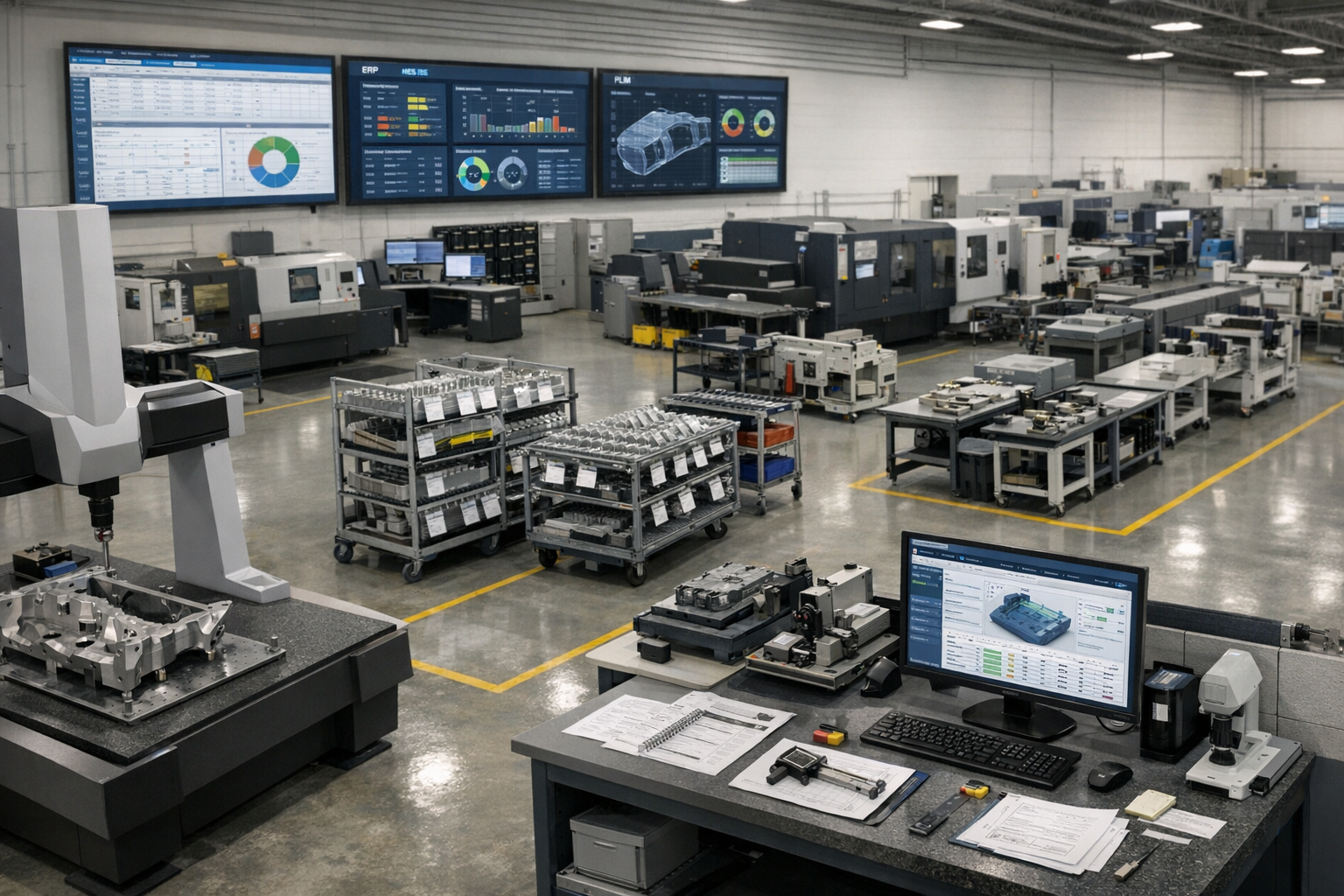
In modern aerospace manufacturing, AS9102 first article inspection (FAI) cannot be treated as a stand-alone activity. To keep programs on schedule and pass audits reliably, your FAI process and first article inspection reports (FAIRs) must be tightly connected to ERP, MES, PLM, and QMS systems. True AS9102 software integration removes manual data re-entry, strengthens configuration control, and makes FAIRs part of the broader digital thread.
This article explains how AS9102 tools should integrate with core enterprise systems, the typical data flows you should expect, and example workflows that embed FAI into day-to-day production. It is a spoke in a larger guide on AS9102 software and a unified aerospace operations platform.
For teams putting this topic into daily operation, digital AS9102 FAI, shop floor execution control, ERP, MES, and PLM integration paths help connect the concept to traceability, work-order reality, and audit-ready evidence.
The same operating model also depends on a connected execution platform, Connect 981’s aerospace execution solutions, real aerospace execution examples, Connect 981’s aerospace operations guidance, especially when decisions have to move across quality, production, suppliers, and program leadership without losing context.
Why AS9102 FAI Cannot Live in a Silo
The risks of stand-alone spreadsheets and local tools
Many aerospace OEMs and suppliers still run FAI using Excel templates, local ballooning tools, and network drive folders. Even when these tools generate AS9102-compliant forms, they usually sit outside the enterprise stack. The result is a set of disconnected artifacts that must be reconciled manually with ERP, MES, PLM, and QMS data.
Common risks of siloed FAI tools include:
- Re-keying errors: Part numbers, revisions, purchase orders, and lot data are typed multiple times across systems.
- Configuration mismatches: FAIRs are created to one drawing revision while ERP or PLM have already advanced to another.
- Limited reuse: Data from one FAI event cannot easily be reused for partial or delta FAI, change management, or trend analysis.
- Local workarounds: Each plant or engineer maintains their own templates and conventions, undermining standardization.
How disconnected FAI impacts schedule, quality, and audits
When FAI is disconnected from core systems, the impact shows up quickly on programs and audits:
- Schedule delays: FAIRs are started late because nobody realizes a new part or major change has reached production until after work orders are released.
- Rejections and rework: Customers reject FAIRs due to wrong part numbers, incorrect revision levels, or missing traceability back to material and special processes.
- Audit exposure: During AS9100 or customer audits, teams scramble across email, shared drives, and local PCs to reconstruct the full FAI picture.
- Lost lessons learned: Nonconformances identified during FAI do not feed back into design or process improvement because they are trapped in separate spreadsheets or PDFs.
Benefits of connected FAI data across the value stream
By contrast, integrating AS9102 software into your enterprise architecture produces tangible benefits:
- Single source of truth: Part, revision, and order data flow directly from ERP and PLM into FAIRs, eliminating conflicting records.
- Automatic triggering: New part introductions, engineering changes, or process transfers can automatically trigger FAI requirements.
- Closed-loop quality: FAIRs connect to nonconformance reports (NCRs), corrective actions (CAPAs), and process controls in the QMS.
- Digital thread: FAI becomes a key node linking design, planning, production, quality, and in-service data.
Key Integration Points for AS9102 Software
Effective AS9102 software touches multiple systems. The integrations do not need to be implemented all at once, but the data model should anticipate each of these connections.
ERP: part numbers, revisions, orders, and routings
The ERP system is typically your commercial and planning source of truth. AS9102 software should at minimum:
- Import item master data: Part numbers, descriptions, and key attributes such as make/buy status or commodity type.
- Sync revisions: Current engineering or manufacturing revision, ideally cross-referenced to PLM identifiers.
- Link to orders: Work orders, purchase orders, and sales orders that require FAIR submission.
- Reference routings: Major operations or work centers associated with the part, enabling routing-based FAI rules.
Typical workflows include:
- FAI software periodically receives new or updated item data from ERP so Form 1 can be populated reliably.
- When an order meets FAI criteria (e.g., first production lot, new part, or re-start after a lapse), ERP flags it, and an FAI record is automatically created.
MES: work orders, operations, machines, and operators
MES or shopfloor systems hold execution context. Integrating AS9102 software with MES enables:
- Work order linkage: FAIRs tied to specific work orders or lots.
- Operation-level traceability: Measurement results mapped to the operation, machine, and operator that produced the feature.
- In-process data reuse: Dimensional or process checks collected during production can automatically populate Form 3.
Common patterns include:
- Launching FAI-specific inspection plans or electronic checklists when an FAI-designated work order reaches certain operations.
- Pulling measurement data from automated equipment or operator tablets directly into the FAIR database.
PLM: drawings, models, and engineering change data
PLM or PDM systems manage design authority. They are essential for ensuring that FAIRs reflect the correct design configuration:
- Drawing and model access: AS9102 software imports the released PDF drawings or model-based definition (MBD) for ballooning.
- Revision control: FAIRs are tagged to specific design revisions; when a change is released, impacted characteristics are identified for delta FAI.
- Change notice linkage: Engineering change orders (ECOs) or equivalent are associated with affected FAIRs for traceability.
In a mature setup, PLM becomes the source of balloonable artifacts, while the FAI system manages characteristic extraction, accountability, and measurement results.
Data Flows Between FAI and Quality Systems
Beyond ERP, MES, and PLM, AS9102 workflows must connect to the organization’s QMS to support AS9100 and customer requirements.
Connecting FAIRs to nonconformance and corrective actions
FAI is often where early nonconformances are discovered. Integration with the QMS should support:
- Linked NCRs: Each out-of-tolerance characteristic on Form 3 can initiate or link to an NCR.
- Corrective action traceability: CAPAs reference the exact part, revision, and FAIR where the problem was found.
- Closed-loop verification: Follow-up FAIRs or delta FAI events demonstrate that corrective actions were effective.
Reusing FAI data in AS9100 documentation
The structured data created during FAI can power broader quality documentation:
- Evidence for process validation and production approval under AS9100.
- Inputs to risk management and FMEA, particularly for key characteristics that show high variation.
- Support for control plan updates and sampling strategy adjustments informed by FAI results.
Without integration, teams must copy data from FAIRs into separate QMS records. With integration, FAI becomes a structured data source that feeds other processes automatically.
Aligning calibration and measurement system data
For FAIRs to stand up during audits, measurement results must tie back to calibrated instruments and qualified gages. Integration between AS9102 software and calibration/asset management systems should allow:
- Recording which gage or CMM program was used for each measurement.
- Verifying that instruments were within calibration at the time of use.
- Flagging FAIRs if a later calibration failure suggests results may be suspect.
This alignment simplifies responses when auditors ask for “evidence that gages used during this FAI were calibrated.”
Example End-to-End AS9102 Workflow with Integrations
To illustrate how these integrations work in practice, consider an end-to-end workflow for a new aerospace part.
Triggering FAI from new work orders or part introductions
- Design release in PLM: Engineering releases a new part and associated drawing or model. PLM notifies downstream systems.
- ERP item creation: The part is added or updated in ERP, including revision and primary routing. A rule marks this part as requiring FAI for the first production lot.
- Automatic FAI record creation: When the first qualifying work order is created in ERP or MES, the AS9102 system automatically creates a corresponding FAIR record and Form 1 header using imported part/order data.
Collecting inspection data on the shopfloor
- Ballooning and planning: The quality or manufacturing engineer imports the released drawing or model into the AS9102 tool, auto-balloons characteristics, and defines which operations or work centers will generate which measurements.
- Shopfloor execution: Operators or inspectors receive digital checklists or inspection plans via MES-integrated terminals or tablets. As they record measurements, results flow back to the FAI database, filling Form 3 rows linked to balloon numbers.
- Nonconformance handling: Any out-of-tolerance result automatically opens an NCR in the QMS, with a reference to the specific characteristic and FAIR.
Approving and submitting FAIRs with linked evidence
- Quality review: Quality engineers review Form 1–3 inside the AS9102 system, verify that all characteristics are accounted for, and confirm that required material and special process certificates are attached.
- Electronic approval: FAIRs move through defined approval workflows with electronic signatures and time stamps.
- Submission and archiving: A customer-ready FAIR package (PDF plus structured data if required) is generated and submitted. The system stores the FAIR in a centralized repository, indexed by part, revision, order, and supplier.
- Future reuse: When a design or process changes, the baseline FAIR is reused to create partial or delta FAIRs rather than starting from scratch.
Multi-Site and Supplier Integration Considerations
Most aerospace programs involve multiple plants and a complex supplier network. AS9102 integration must account for this distributed reality.
Standardizing FAIR templates across sites and suppliers
Without standardization, each site or supplier tends to customize FAIR formats and naming conventions. A connected platform enables you to:
- Define global AS9102 templates that enforce common fields and rules.
- Allow limited configuration for customer-specific layouts while keeping a consistent underlying data model.
- Report across FAIRs from different locations because they share the same structure.
Supplier portals and shared data models
For purchased parts, suppliers often own the FAI execution, but the OEM is still responsible for overall airworthiness. A supplier-facing portal or shared AS9102 platform can:
- Provide guided FAIR templates aligned with your standards and customer requirements.
- Enable suppliers to upload ballooned drawings, Forms 1–3, and certifications directly into your system.
- Support automated validation checks on incoming FAIRs before they are accepted.
This approach reduces variation in FAIR quality and accelerates review cycles, especially for high-volume or global supplier bases.
Managing customer-specific requirements globally
Major primes and engine manufacturers often apply their own FAIR formats, field requirements, and submission methods. An integrated platform should handle:
- Configuration by customer: Mapping a single internal data model to different outward-facing FAIR templates.
- Rule-based triggers: Customer and program-specific criteria for when FAI, partial FAI, or delta FAI is required.
- Central visibility: Dashboards showing FAI status across customers, plants, and suppliers.
Architecture Patterns for AS9102 Integration
There is no one-size-fits-all approach to integrating AS9102 software. The right architecture depends on your existing systems, IT strategy, and digital maturity.
Point-to-point vs platform-centric integrations
Two broad patterns are common:
- Point-to-point: The FAI system connects directly to ERP, MES, PLM, and QMS with separate integrations for each. This can be fast to implement for a small footprint but may become complex to maintain as scope grows.
- Platform-centric: AS9102 capabilities are part of a broader aerospace operations platform that already integrates with ERP/MES/PLM/QMS. FAI reuses existing data models and services.
Organizations starting with light integrations might choose point-to-point initially and then consolidate into a platform approach as volume and complexity increase.
APIs, data lakes, and middleware approaches
From a technical standpoint, integrations usually rely on one or more of the following:
- REST or SOAP APIs: Near-real-time synchronization of parts, orders, and status updates.
- Message queues or integration buses: Event-driven flows (e.g., a new ECO triggers delta FAI creation).
- Data lakes or warehouses: Consolidated reporting and analytics across FAIRs, production data, and nonconformances.
- File-based exchange: CSV, XML, or JSON batches for legacy environments where APIs are limited.
Regardless of the technical mechanism, governance is critical: clear ownership of master data, change management, and validation of integrations before they are used for production decisions.
Roadmap planning for digital thread and future scalability
AS9102 integration should be planned as part of a broader digital thread roadmap rather than as an isolated IT project. Key roadmap considerations include:
- Sequencing integrations (e.g., start with ERP/PLM, then add MES and QMS).
- Defining standard identifiers for parts, revisions, orders, and characteristics across systems.
- Ensuring that FAI data structures can support future capabilities such as MBD, AI-assisted sampling, and advanced analytics.
For many organizations, moving from stand-alone ballooning tools to a unified aerospace operations platform is the key step that defines long-term scalability.
Conclusion
Integrating AS9102 software with ERP, MES, PLM, and QMS transforms FAI from a manual compliance burden into a strategic source of configuration control and process insight. By designing data flows carefully, standardizing templates across sites and suppliers, and choosing an architecture that fits your digital thread roadmap, you can reduce FAIR cycle times, cut rework, and strengthen audit readiness.
The most successful aerospace organizations treat FAI as a connected process embedded in everyday manufacturing workflows. Start by identifying your highest-friction handoffs—typically between design, planning, and quality—and design integrations that eliminate re-keying while preserving rigorous validation and security review.



Related Blog

Built for Speed, Trusted by Experts
Whether you're managing 1 site or 100, Connect 981 adapts to your environment and scales with your needs—without the complexity of traditional systems.
